
OpenAPI, formerly known as Swagger, is a specification for generating machine readable metadata for describing, document and consume RestAPI. It is becoming a standard within the industry to fully document with easy complex RestAPI, like those required for Microservice architectures.
The OpenAPI/Swagger specification is language/framework agnostic. It allows RestAPI clients to understand and consume services without any knowledge of the internal implementation details.
ASP.NET Core Web API allow us to create OpenAPI/Swagger metadata in an automatic fashion through the Nuget package Swashbuckle. Let’s see how easy it is to do it.
Setting up the ASP.NET Core Web API project
First of all, we must need to create an ASP.NET Core Web API project. Steps are so easy that it is not worthy to show them here.
For our example, we are going to create a simple Web API controller that returns some mock data, like the following:
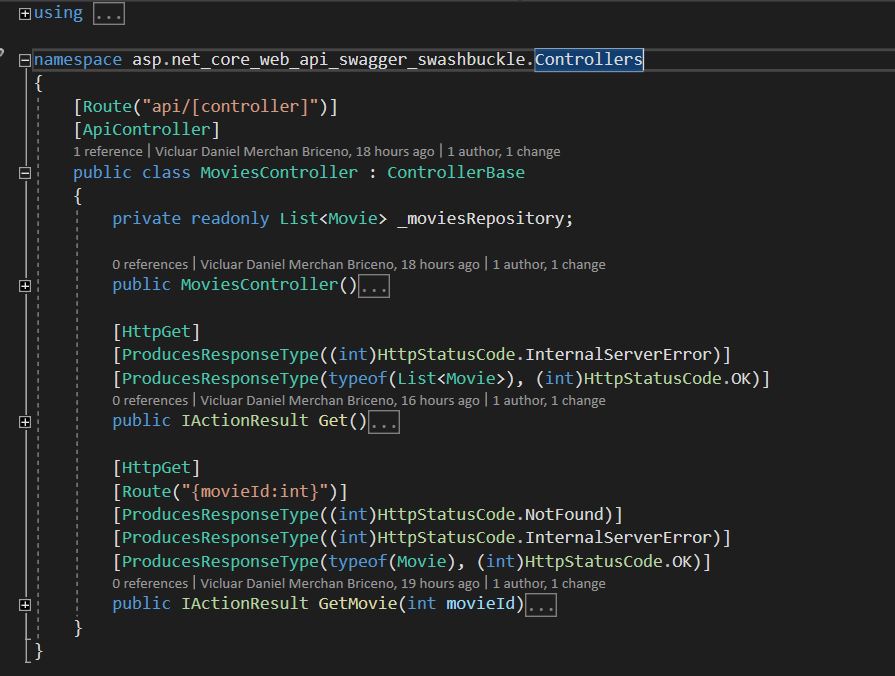
As you may see, I intentionally have added some attributes to the public methods that describe the type of response each method would return. This is important for OpenAPI/Swagger to understand the type of responses your service would produce.
As this is a very simple example to highlight how to automate the Swagger metadata creation, let’s not create any other controller.
Installing and configuring Swashbuckle.AspNetCore package
Now, we need to add the Swashbuckle.AspNetCore nuget package (there is a version for .NET Framework as well) to our ASP.NET Core Web API project.
Once it is installed, we can proceed with the next steps, configuring the Swagger service in our Startup.cs class.
In the ConfigureServices method, we need to add the following code:

There are additional options that you can configure for your service, such as Terms of Service or License. That is up to you.
Next, we need to tell ASP.NET Core to include the use of Swagger in the Configure method in the Startup.cs class:

Now, we have all set up. Let’s run the Web API to see how our Swagger metadata looks like.
Running our Web API and taking a look at Swagger metadata and UI
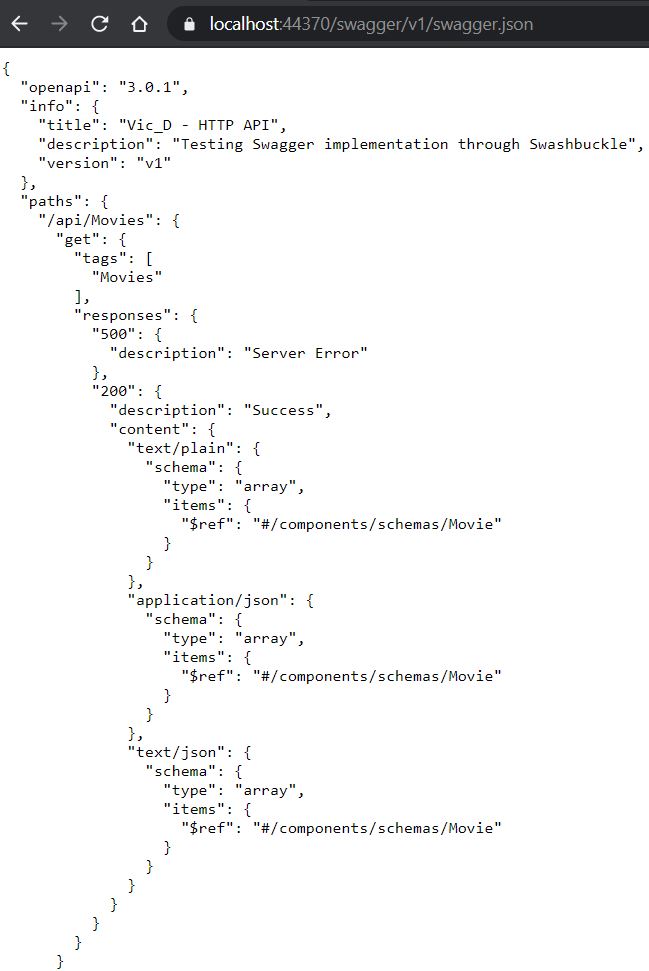
When running our app, at the URL /swagger/v1/swagger.json we will see the Swagger metadata, as you can see in the following image:
An additional feature is that you will be able to see the Swagger UI running under your Web API host. Just go to the url: /swagger as you may see in the following image:
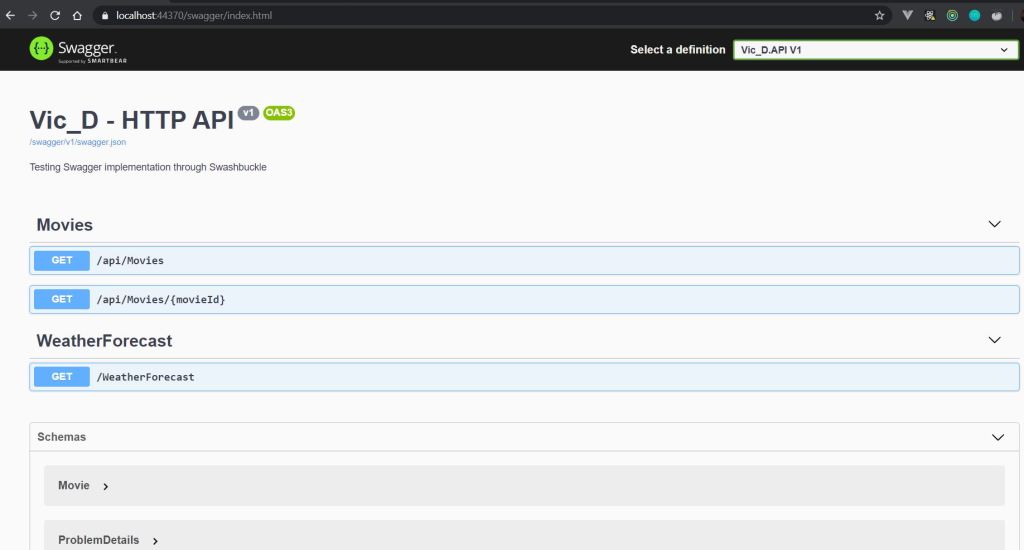

From now on, you only need to code your further controllers, adding the description attributes and deploy your app. The above set up would produce Swagger metadata automatically as well as reflecting those changes in the Swagger UI.
If you want to see the full code for this sample, go to my github account where you will find the repo: here
 Vicluar Daniel Merchan