

A lot of the times, when you are creating or consuming a Web API, you know in advance that there are a lot of standards and best practices to follow. You must take into consideration the architectural aspects of your API, the communication mechanism that are in place, the number of calls or aggregations you need/must provide from the back-end API and the like. All of these aspects and topics must be carefully thought in order to provide with the best possible solution.
Over my experience, I have seen some small pitfalls on the design and implementation of some APIs. In addition, I have realized I am not alone on those findings; many developers (specially front-end developers) used to complain about some aspects on the Backend APIs. One of the most commented is that some APIs do not follow the HTTP semantics for the different HTTP operations they perform. Seems that many APIs tend to return HTTP code 200 for almost everything, whether it is a successful operation, error or anything else, 200 seems to be the standard response for almost any HTTP request.
I know there is no strict rule on the kind of HTTP response code your API must provide. In addition, sometimes there is a misunderstanding about what every HTTP response code means. Also, chances are that implementing the proper response code in your code is not as easy as everyone thinks. Despite all previous and many other reasons, we should strive for do the things in the right way. As professionals, among many other reasons, this is one of the key factors we get payed.
In this post, I will detail some guidelines to keep in mind in order to conform to the HTTP semantics. Also, I will demonstrate how easy is to implement those response codes in ASP.NET Core Web API. At the end of this post, you will find a link to the full sample code.
Conform to HTTP semantics
In the following paragraphs, there are some guidelines and scenarios to conform to the HTTP semantics. I will cover just a subset of the whole possible scenarios. For a full list of HTTP specifications, go to this web site: Status code definitions
Media Types
In the “Content-Type” header, in any request or response, it is possible to specify the representation of the data. Hence, you can tell the Backend API that your request has an xml or json representation of the data in it (there are many other types, of course); you only need to set the “Content-Type” header value to “application/xml” or “application/json” respectively.
If the server application does not support the Media Type, it should return HTTP status code 415 – Unsupported Media Type.
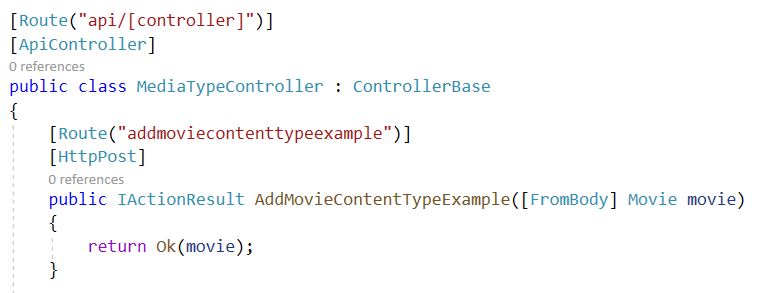
Now, ASP.NET Core Web API by default only accepts json mime types. Of course, you can set up your ASP.NET Core Web API to accept many other media types. So, when you create a, for instance, post method that need a object as an input parameter, by default, it should be sent as json. As an example, I created this HTTP post method:
When I tried to send a HTTP post request with an xml representation of the data, the Web API responses HTTP 415 as you will see in the following image:
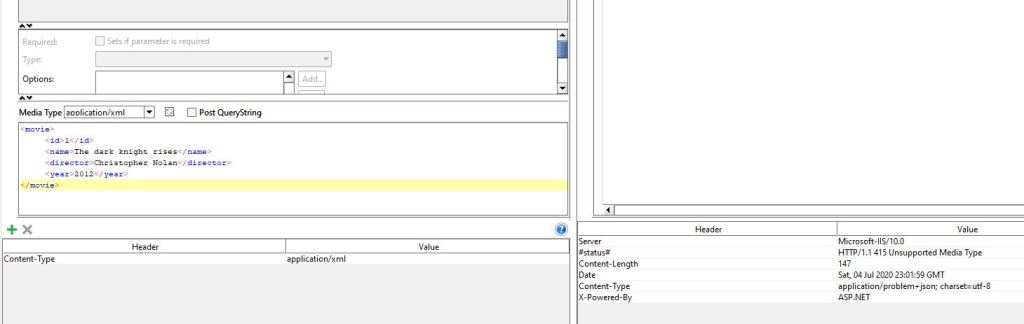
All that works out of the box.
Another case is when the client provides the “Accept” header. It basically tells the type of media the client will accept from the backend server as a response. If the server application does not support the media type, it should return HTTP status code 406 – Not Acceptable.
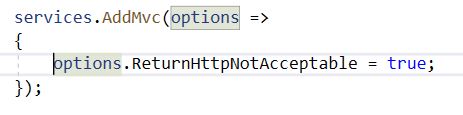
By default, ASP.NET Core Web API, will try to return the representation in the response message in the best suitable media type it supports. So, even though a client asks for a xml representation (and keep in mind that ASP.NET Core Web API uses json by default), ASP.NET Core will return a json representation. So, no 406 HTTP code. To fix this small issue, you must tell explicitly to return a HTTP not acceptable response in those scenarios. This is done by adding the following code in the “ConfigureServices” method in the “Startup” class:
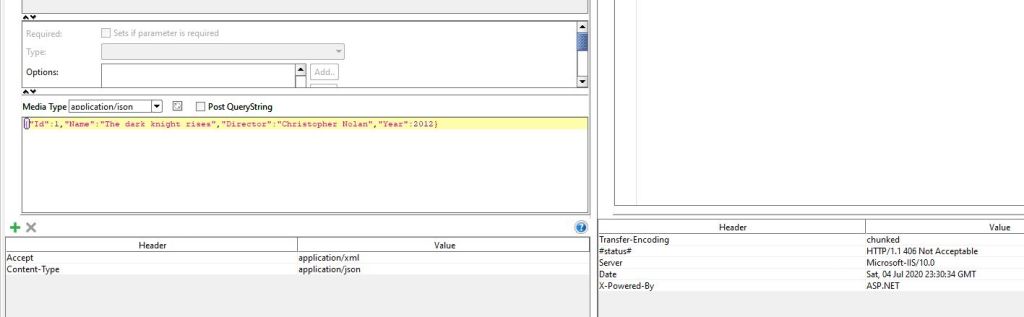
After you apply that change, when you try to ask for a xml representation, you will get a 406 HTTP status code as follows:
Get Methods
Get methods usually returns HTTP status code 200 – OK. If the resource cannot be found, it should return 404 – Not Found.
In ASP.NET Core Web API, you can use a couple of methods to return above described HTTP status codes. Those are “Ok()” and “NotFound()”.
Post Methods
When the post method creates a new resource, it should return HTTP status code 201 – Created. In addition, the URL of the new resource should be included in the “Location” header and a representation of the object is returned in the body response. In ASP.NET Core Web API, this is accomplished by the following code:

If the post method does some processing but does not create any resource, it could return HTTP status code 200 – OK – and include the result of the operation in the response body. Also, if there is no result to return, it can return HTTP status code 204 – No Content – without a thing in the response body. The code in ASP.NET Core is in the following images:


If the client sends invalid data into your post methods, this should returns HTTP status code 400 – Bad request. This is done in ASP.NET Core Web API by default without any code. You only need to set the validation rules in your input method parameter.
Put Methods
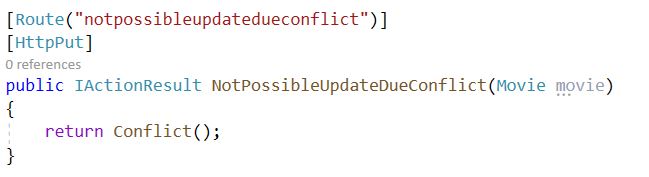
As with the Post Methods, when a Put Method creates a new resource, it should return HTTP status code 201 – Created. If the Put Method update a resource, it can either return HTTP status code 200 – OK – or 204 – No Content. If there is a conflict that does not allow to perform an update of an existing resource, you may return HTTP status code 409 – Conflict. This last method is implemented in ASP.NET Core as follows:
Delete Methods
When a delete operation is performed and it ends successfully, the Web API should return HTTP status code 204 – No Content – to tell the client that the operation was successfully handle but no further information is in the response body. If the resource to delete does not exists, it should return HTTP status code 404 – Not Found.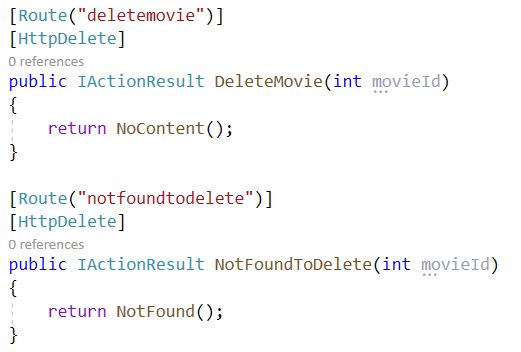
Asynchronous Operations
There are sometimes when an operation on the Backend services take a while to process. For these scenarios, do not hold the client until the operation finishes. Instead, implement asynchronous operations on your Backend services.
You can return HTTP status code 202 – Acepted – to indicate the client the request has been accepted but it has not finished yet. You may expose an endpoint where the client can check the status of the operation. That endpoint might be included in the Location header of the previous response. In ASP.NET Core Web API this is accomplished by the following code:
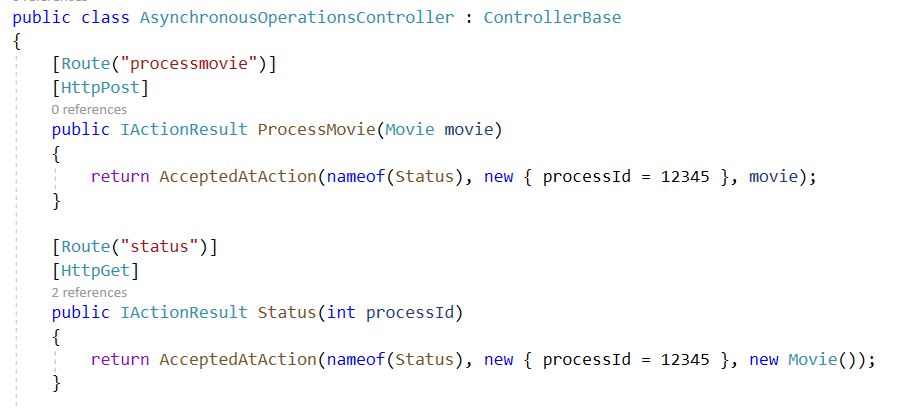
The code above does the following:
ProcessMovie method initiates the processing (this has been omitted to focus only on the response method) and returns a HTTP status code 202 through the “AcceptedAtAction” method. It point to the controller method that gives status about the process. When you request the ProcessMovie method in a software such as SoapUI, you will see the following:
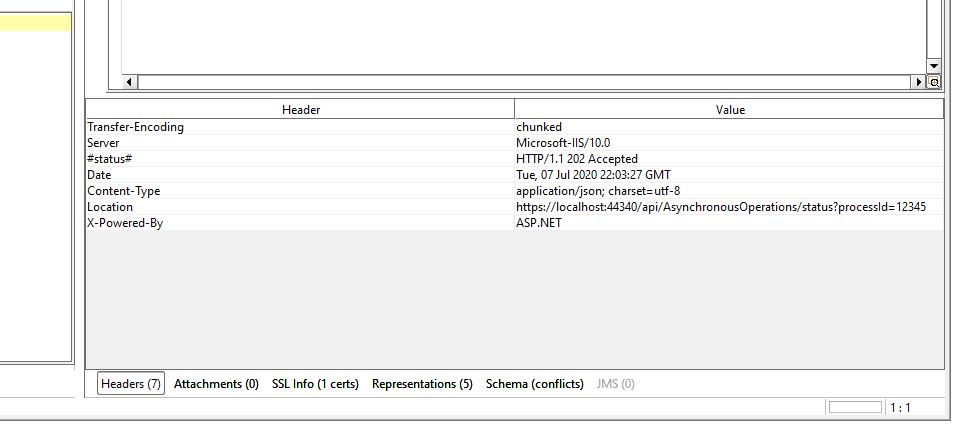
As you can see, the Location header is included in the list of headers without any manual code on our side.
Finally, if the asynchronous operation creates a new resource, when the operation completes, it should return HTTP status code 302 – Found – and redirect the client to the resource. This is done in ASP.NET Core Web API by the following code:

It simply redirect the client to the FetchResource controller method passing the Id of the resource to be fetched. This method represents a HTTP status code 302.
Final words
As you can see, ASP.NET Core Web API makes really easy to reply with HTTP codes for almost all possible scenarios described earlier. In addition, keep in mind this HTTP semantics when developing a Web API. This makes easier to understand your API and the code and logic Front-End developers or any client consumer of your API must write.
To see the full sample code, go here: asp.net-core-webapi-conform-http-semantics
 Vicluar Daniel Merchan